
Graphic Design Fundamentals: The Complete Beginner's Guide
If you've ever looked at a beautiful logo, an eye-catching poster, or a stunning website and wondered what makes it work, the answer usually comes down to understanding the fundamentals of graphic design.
Many beginners jump straight into software like Photoshop or Illustrator. While learning tools is important, great design doesn't start with software—it starts with understanding visual communication.
This guide covers the Graphic Design Fundamentals for Beginners, helping you build a strong foundation that will improve every project you create, whether you're designing logos, social media graphics, websites, or marketing materials.
Why Graphic Design Fundamentals Matter
Imagine trying to build a house without understanding architecture. You might have the tools, but the structure won't stand.
The same applies to design.
The most successful designers understand:
- Why certain colors work together
- How typography influences emotions
- How layouts guide user attention
- Why visual hierarchy improves communication
Software changes every year. Design principles remain relevant for decades.
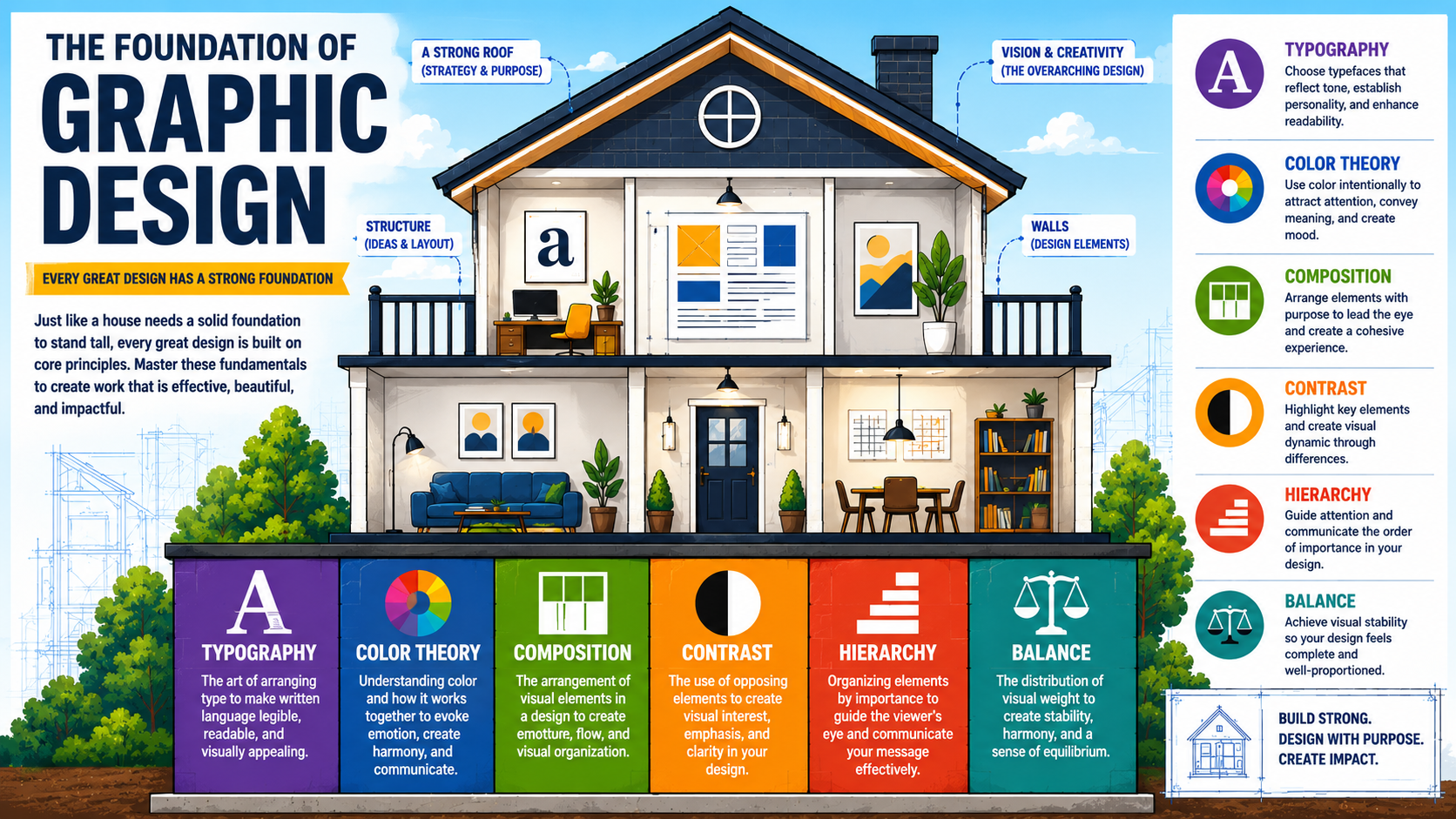
What Is Graphic Design?
Graphic design is the practice of communicating ideas through visual elements.
Designers combine text, images, colors, shapes, and layouts to create experiences that inform, persuade, and inspire.
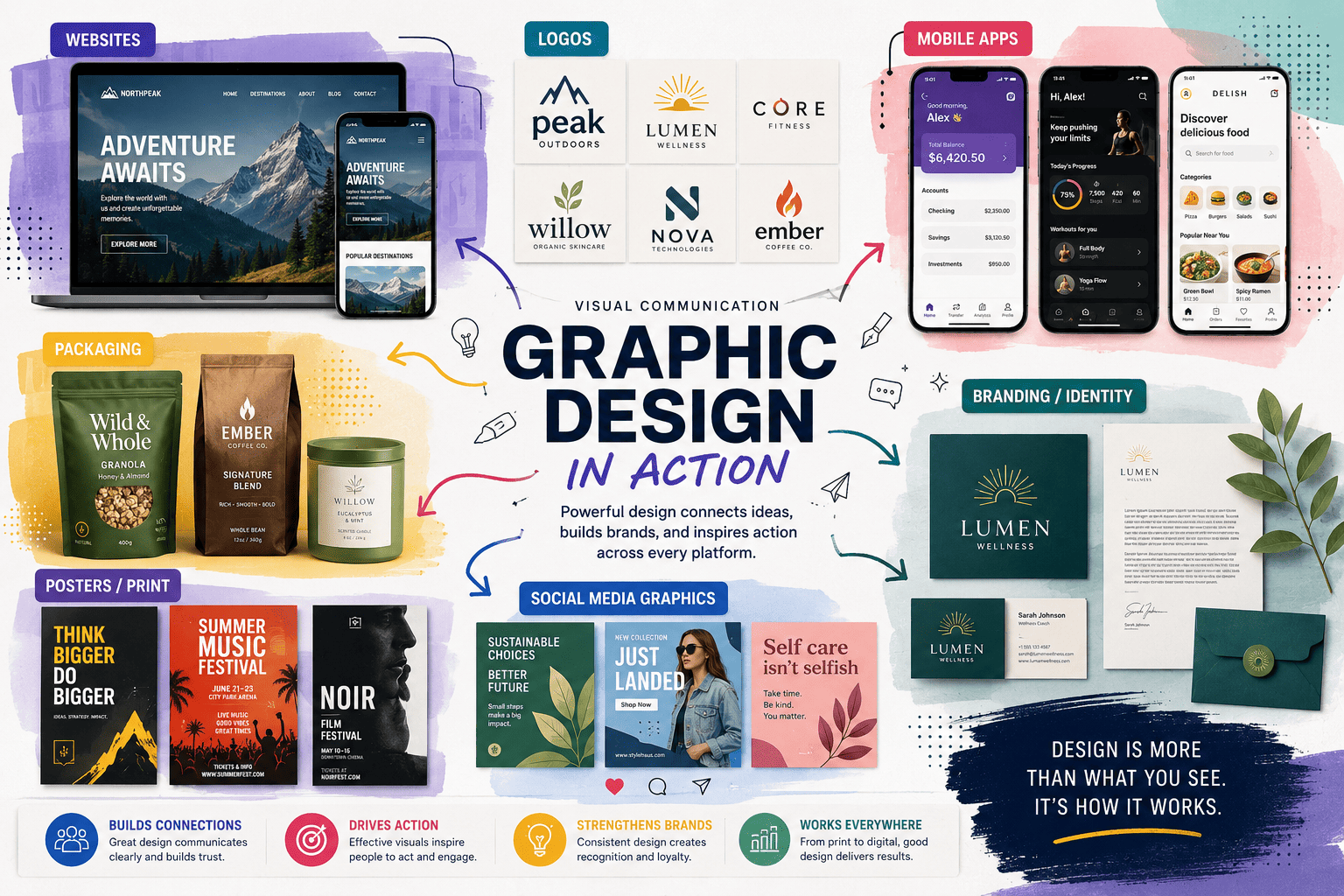
You encounter graphic design every day through:
- Websites
- Mobile apps
- Packaging
- Billboards
- Social media posts
- Product advertisements
- Brand identities
At its core, graphic design solves communication problems visually.
Understanding the Core Principles of Graphic Design
The Principles of Graphic Design act as rules that help organize visual content effectively.
1. Balance
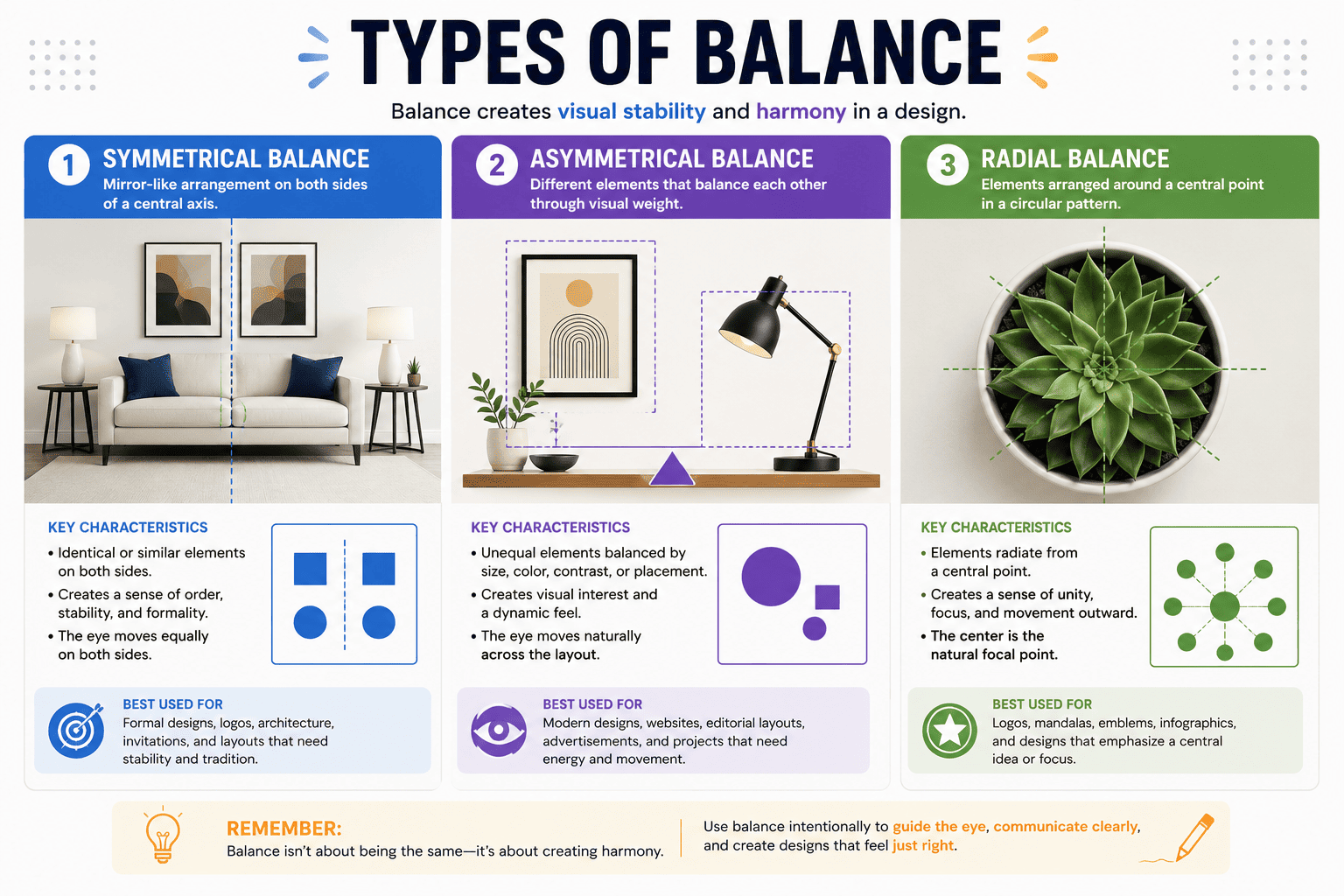
Balance refers to distributing visual weight evenly throughout a design.
Types include:
- Symmetrical Balance
- Asymmetrical Balance
- Radial Balance
A balanced design feels stable and professional.
Example
A website with equally distributed content on both sides creates a sense of order and trust.
2. Contrast
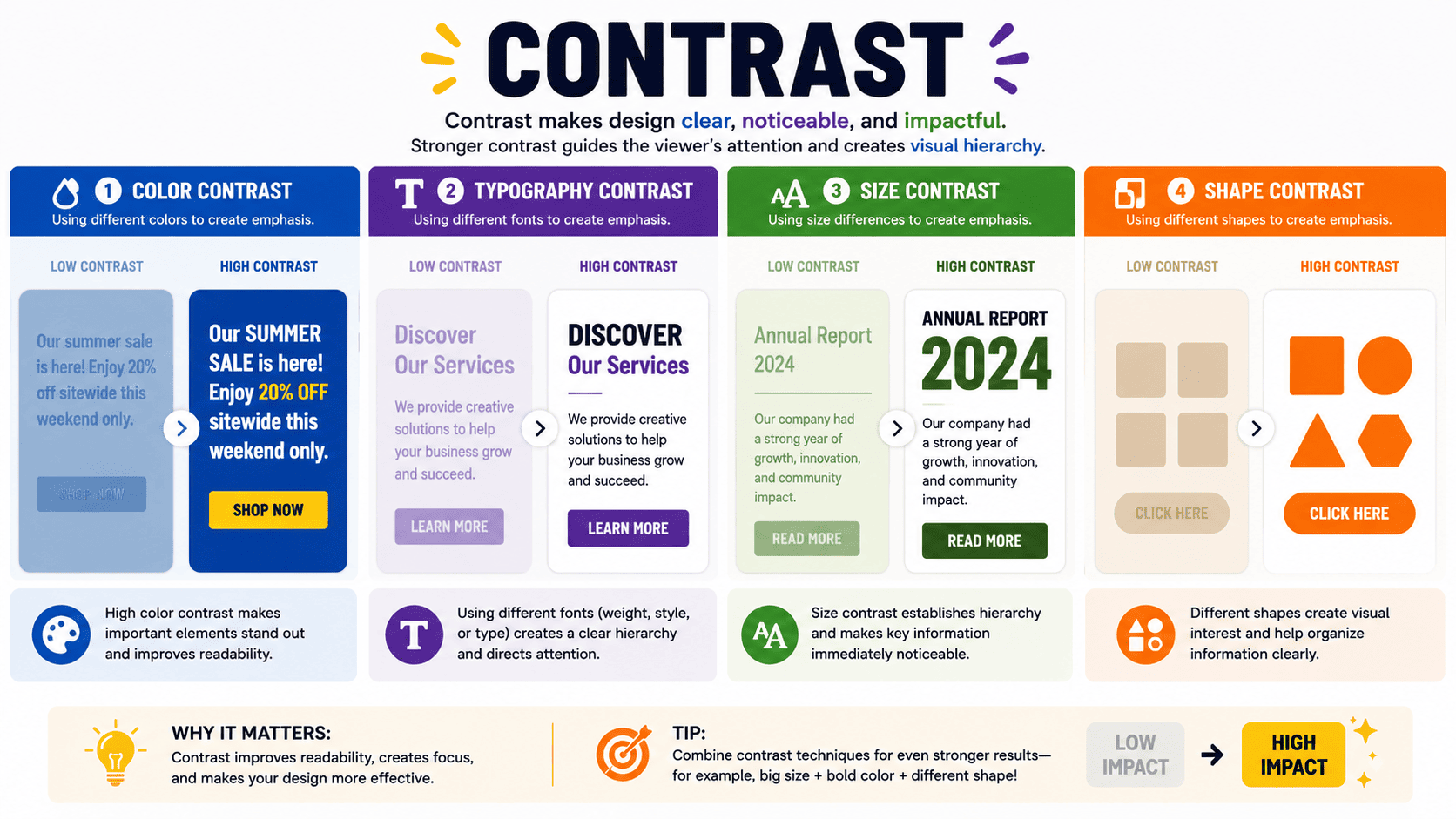
Contrast helps important elements stand out.
Contrast can be created through:
- Color
- Size
- Shape
- Typography
- Spacing
Without contrast, designs become difficult to read.
Example
Black text on a white background creates strong readability.
3. Hierarchy
Visual hierarchy guides viewers through information in the correct order.
Elements can be prioritized through:
- Size
- Weight
- Color
- Placement
When hierarchy is clear, users know exactly where to look first.

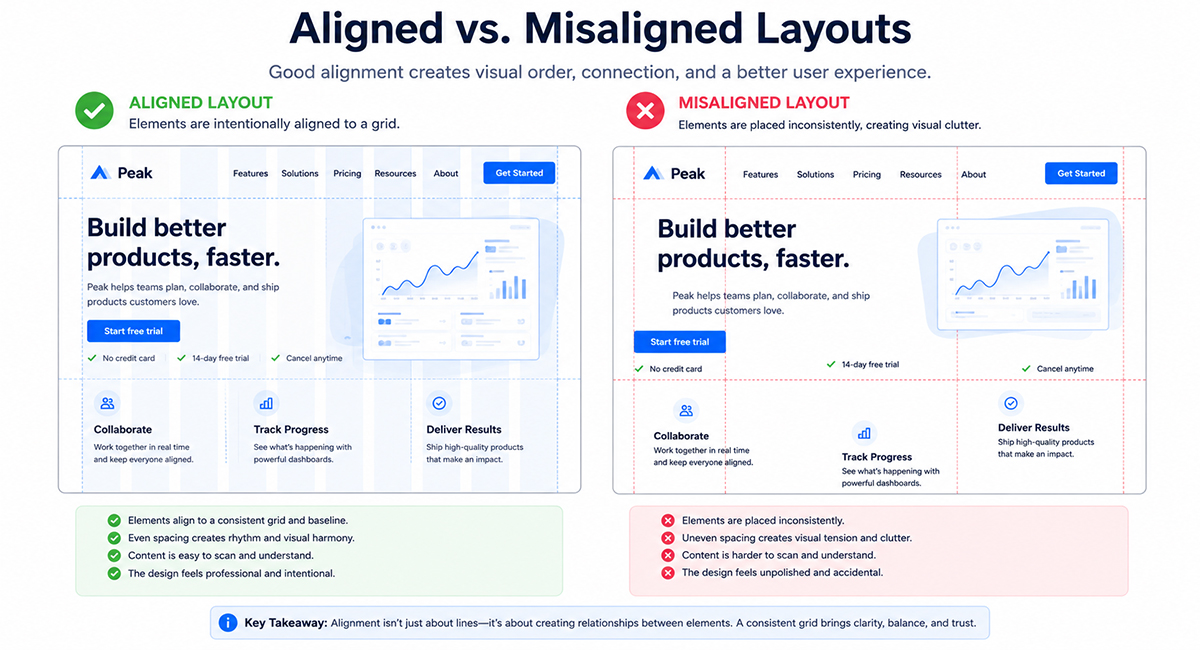
4. Alignment
Alignment creates structure and organization.
Proper alignment:
- Improves readability
- Creates professionalism
- Enhances visual flow
Misaligned elements make designs feel unfinished.
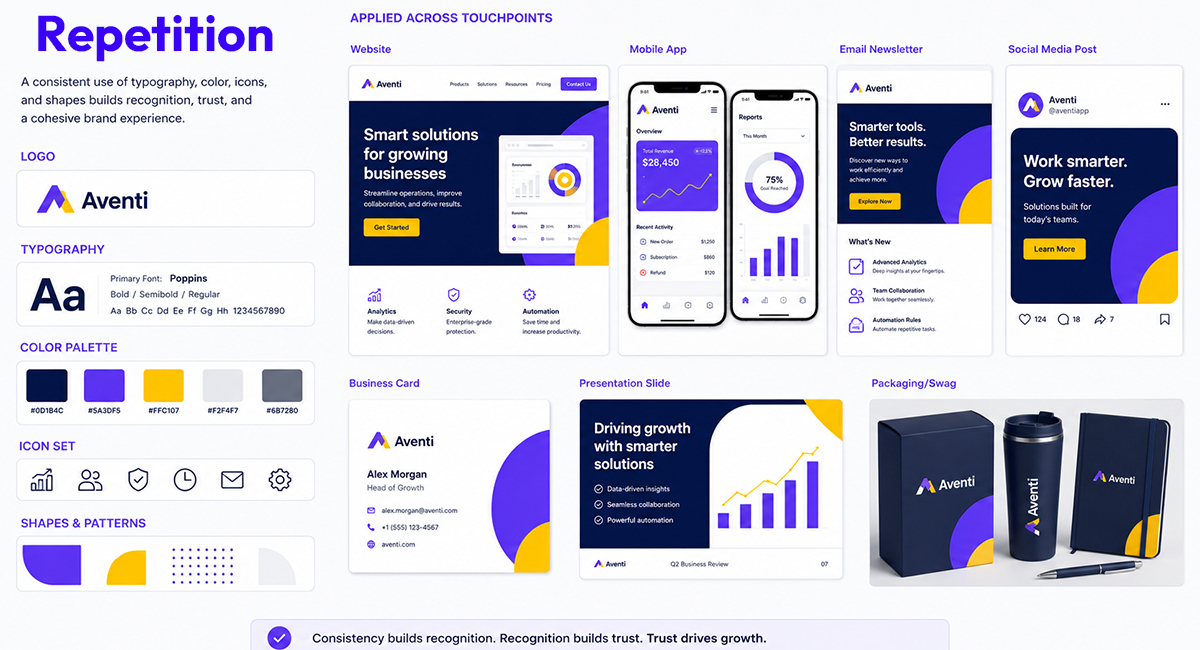
5. Repetition
Repetition strengthens consistency.
Repeated elements include:
- Colors
- Fonts
- Shapes
- Icons
Strong brands rely heavily on repetition.
Essential Graphic Design Elements
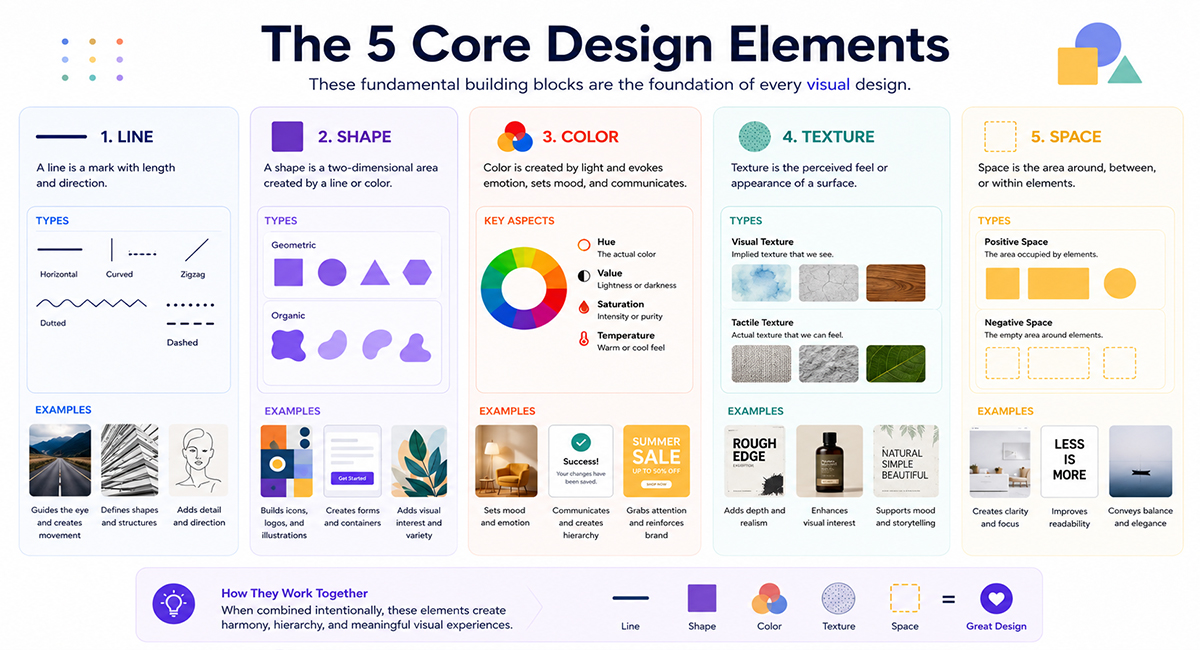
While principles guide design decisions, Graphic Design Elements are the building blocks used to create visuals.
Line
Lines create direction, structure, and separation.
Examples:
- Dividers
- Borders
- Underlines
- Illustrations
Shape
Shapes communicate meaning and emotion.
Examples:
- Circles represent unity
- Squares represent stability
- Triangles suggest movement
Color
Color influences perception and emotion.
Common associations:
- Blue = Trust
- Red = Energy
- Green = Growth
- Yellow = Optimism
Texture
Texture adds depth and realism.
Both physical and digital designs use texture to create visual interest.
Space
Whitespace improves readability and focus.
Many beginners fear empty space, but professional designers embrace it.
Typography: The Most Important Design Skill
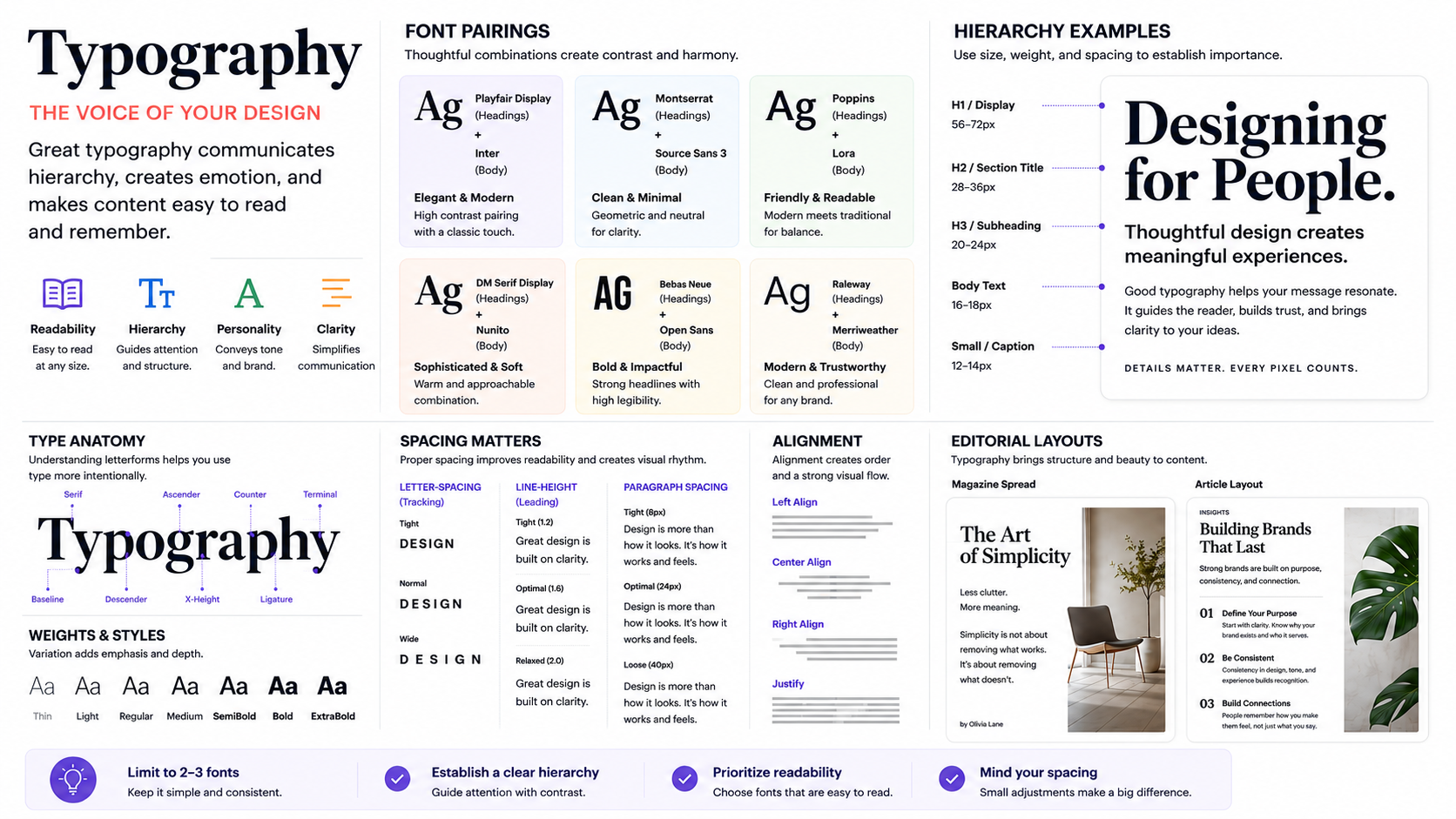
Typography is often the difference between amateur and professional work.
Good typography:
- Improves readability
- Establishes hierarchy
- Strengthens branding
- Creates emotional impact
Typography Best Practices
- Use no more than 2-3 font families
- Maintain consistent spacing
- Establish clear hierarchy
- Prioritize readability
Beginner-Friendly Font Pairings
- Montserrat + Open Sans
- Poppins + Inter
- Playfair Display + Lato
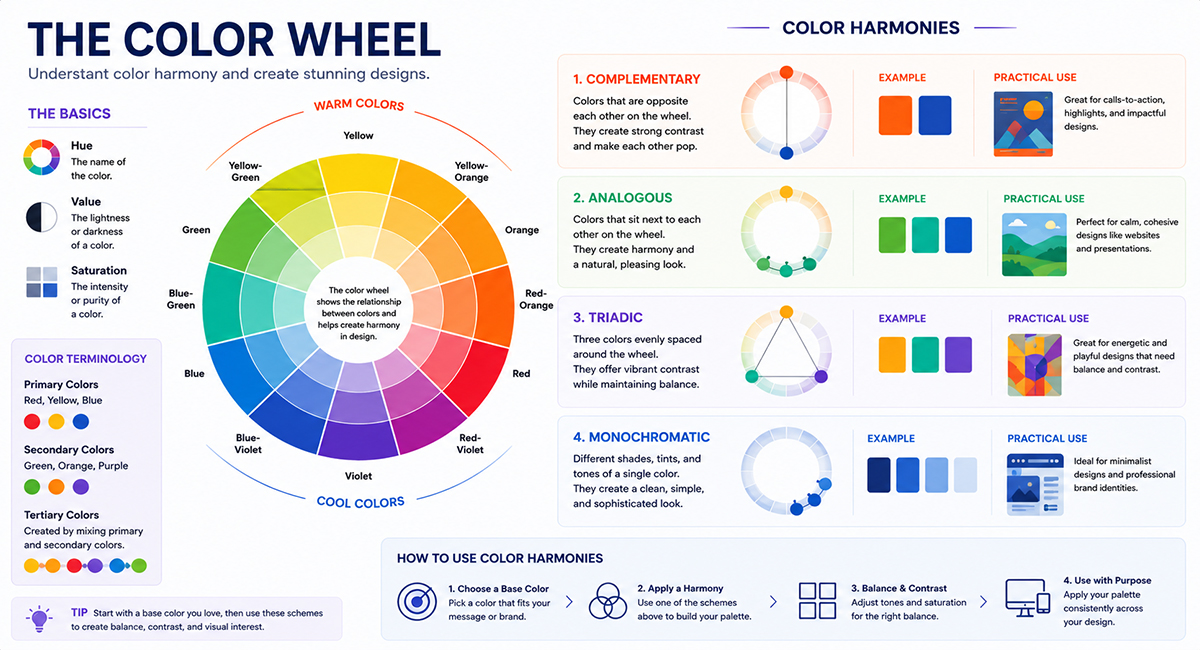
Color Theory for Beginners
Color theory helps designers create visually appealing and meaningful experiences.
Color Harmonies
- Complementary Colors
- Analogous Colors
- Triadic Colors
- Monochromatic Colors
Beginner Tip
Choose one primary color and build supporting colors around it rather than using too many unrelated colors.
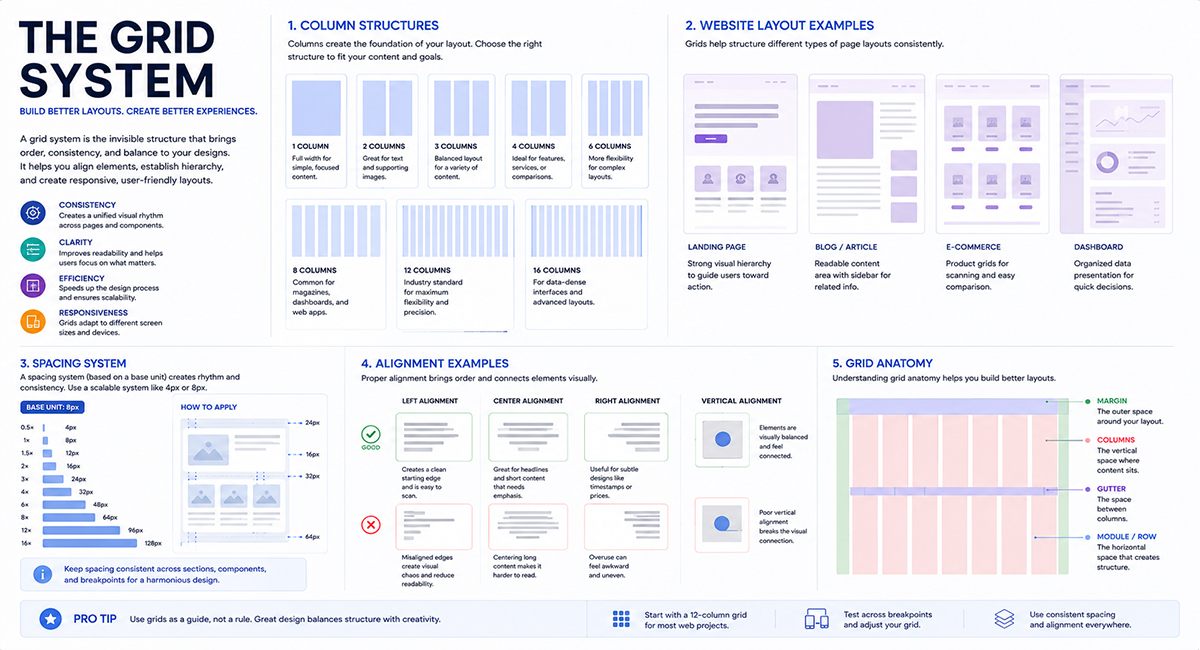
Building Better Layouts with Grid Systems
Professional designers rarely place elements randomly.
Instead, they use grids.
Benefits include:
- Consistency
- Better alignment
- Improved readability
- Faster design decisions
Popular grid systems:
- 12-column grid
- Modular grid
- Baseline grid
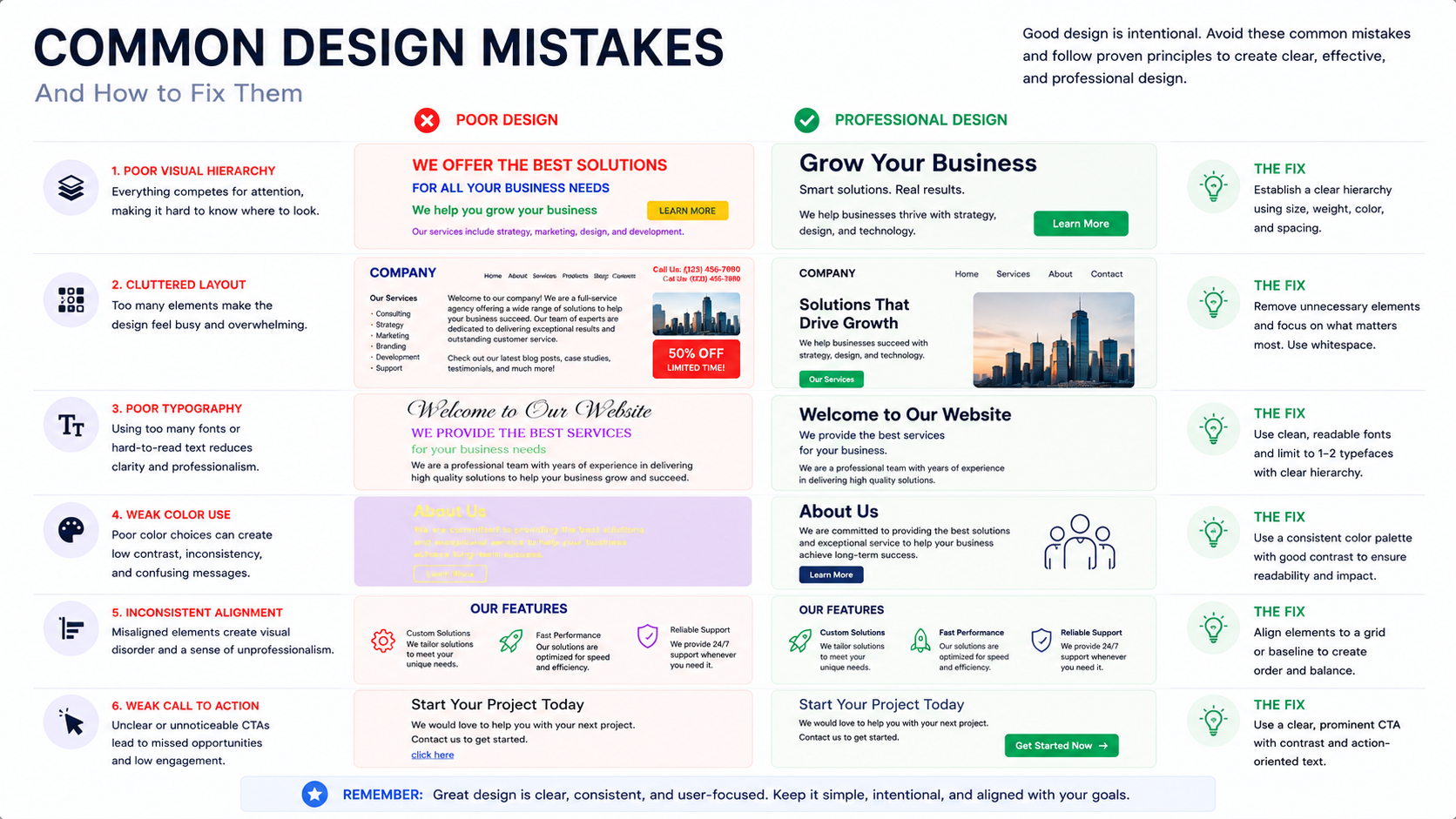
Common Graphic Design Mistakes Beginners Make
Using Too Many Fonts
Stick to two or three fonts.
Ignoring Whitespace
Whitespace helps content breathe.
Poor Color Choices
Avoid random color combinations.
Weak Hierarchy
Users should know what to read first.
Designing Without Purpose
Every design element should support communication.
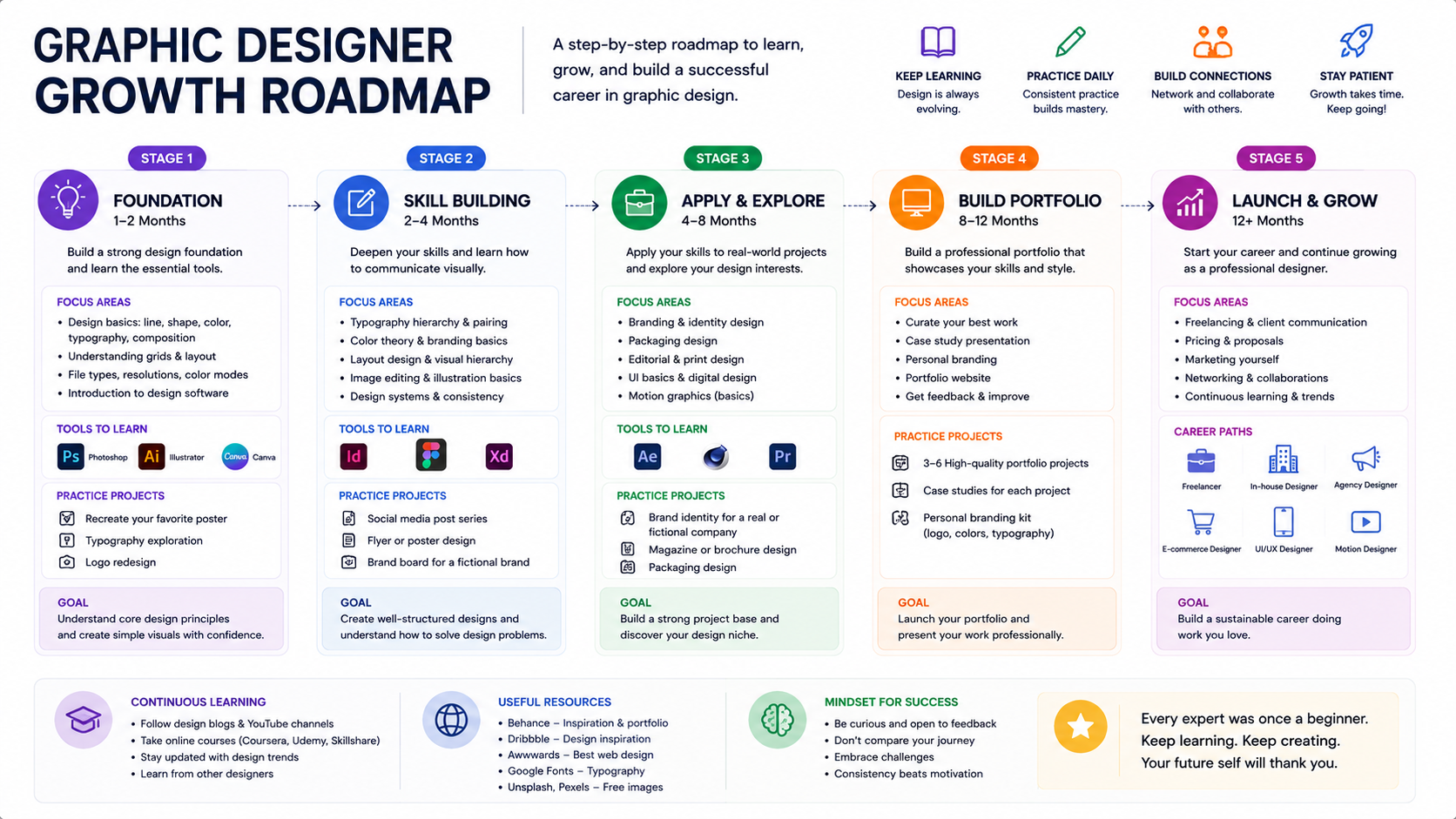
Expert Tips to Accelerate Your Design Growth
Study Great Design Daily
Analyze websites, packaging, and branding projects.
Recreate Existing Designs
Reverse-engineering teaches structure and techniques.
Learn the Fundamentals Before Software
Tools change. Design thinking remains valuable.
Build Real Projects
Practice with:
- Logos
- Posters
- Social media graphics
- Website layouts
Seek Feedback
Constructive criticism accelerates improvement.
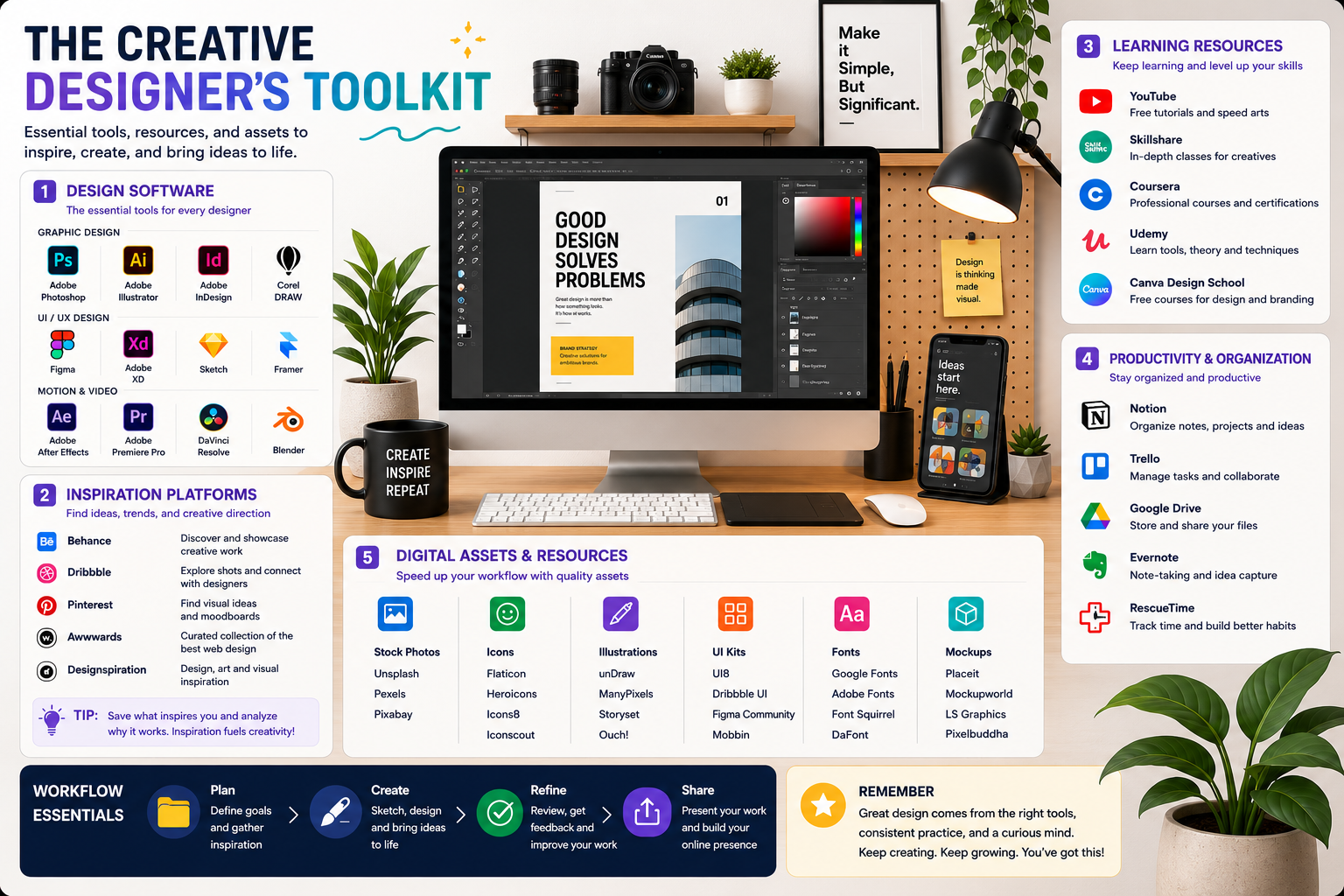
Recommended Tools and Resources
Design Software
- Adobe Photoshop
- Adobe Illustrator
- Adobe InDesign
- Figma
Inspiration Platforms
- Behance
- Dribbble
Learning Resources
- YouTube Design Channels
- Online Design Courses
- Design Communities
Helpful Assets
- Font Libraries
- Mockups
- Icon Packs
- Design Templates
Key Takeaways
- Design fundamentals are more important than software skills.
- Understanding typography, color theory, and hierarchy improves every project.
- Consistent practice builds design confidence.
- Great design solves communication problems.
- Strong fundamentals create stronger portfolios and career opportunities.
Conclusion
Mastering Graphic Design Fundamentals for Beginners is one of the smartest investments you can make as a creative professional. While tools and trends continue to evolve, the Principles of Graphic Design and Graphic Design Elements remain timeless. Focus on understanding balance, contrast, typography, color theory, hierarchy, and composition. With consistent practice and real-world application, you'll develop the skills needed to create designs that are not only visually appealing but also effective at communicating ideas.
Remember: great designers aren't defined by the software they use—they're defined by how well they understand and apply design fundamentals.